Who’s Watching? How to Find Hidden Cameras on Your Business (and Rental) Wi-Fi

The short version: almost every hidden camera worth worrying about has the same weakness — to record you or stream you anywhere, it has to get on a network. That’s the thread you pull. In about fifteen seconds, a phone can scan the Wi-Fi you’re on and show you the cameras sitting on it, by brand and address. It won’t find a camera that’s completely offline — nothing can — but the ones actually watching and recording over the network? Those you can catch.
Here in Orange County, this stops being an abstract worry fast. Newport, Laguna, and Huntington are packed with short-term rentals. Irvine and Costa Mesa are full of offices, medical suites, and retail. Every one of those is a place where someone might put a camera where it doesn’t belong — and every one of those has a Wi-Fi network you can check.
Here’s how to think about it like a security professional, not a paranoid guest.
This is two problems, not one
When people hear “hidden camera,” they think about privacy — someone spying on them. That’s real. But for a business owner, there’s a second problem hiding inside the first, and it’s arguably worse.
Problem one: the camera is watching people. A device recording your team, your customers, or your rental guests without disclosure. In California, that’s not just creepy — in a lot of situations it’s illegal (more on that below).
Problem two: the camera is a hole in your network. Cheap IP cameras are one of the most reliably insecure devices ever mass-produced. They ship with default passwords, expose streaming ports to anyone who asks, and rarely get firmware updates. Attackers scan the internet for exactly these devices — the Mirai botnet that took down half the web in 2016 was built largely out of hijacked cameras and recorders. A camera someone plugged into your network to spy is also an unlocked door into everything else on that network: your point-of-sale, your files, your other devices.
So finding cameras on your network isn’t only about privacy. It’s basic network hygiene. The same scan answers both questions at once: what’s on my Wi-Fi, and should it be there?
Where they hide, and why you won’t spot them
Modern cameras are the size of a shirt button. The lens fits through a pinhole. They get built into the objects you’d never think to question:
- Smoke and CO detectors (the classic — it’s on the ceiling, pointed at the room, and nobody looks twice)
- Alarm clocks and “charging docks” on a nightstand
- USB wall chargers and power strips
- Air purifiers, thermostats, picture frames, fake sprinkler heads
- Anything with a small dark circle on it
Walking a room looking for lenses works occasionally, and it’s worth doing — a flashlight held at eye level can catch a lens reflection in a dark room. But you will not reliably out-eyeball a professionally hidden device. That’s the wrong game. The right game is the network.
The tell: it has to phone home
Here’s the weakness that matters. A camera that records you is close to useless to whoever placed it unless they can get the footage. That means one of two things:
- It streams or uploads over the internet — so it’s connected to the Wi-Fi.
- It records to local storage on the same network — so it’s connected to the Wi-Fi.
Either way, it’s on the network. And anything on the network can be seen by anything else on the network — including your phone.
The honest limit, stated plainly: a camera recording to a tiny SD card with its radios switched off, that someone physically retrieves later, won’t show up on a network scan. Nothing short of a physical sweep finds that. But it’s also the least common setup, because it’s the least useful to the person spying — they have to come back for the card. The vast majority of hidden cameras are on the network so the footage can leave. Those are the ones you catch.
How to actually check — in about fifteen seconds
You don’t need special hardware. You need an app that reads the network you’re on and tells you what’s a camera.
- Get on the Wi-Fi you want to check — the rental’s, the office’s, wherever you are.
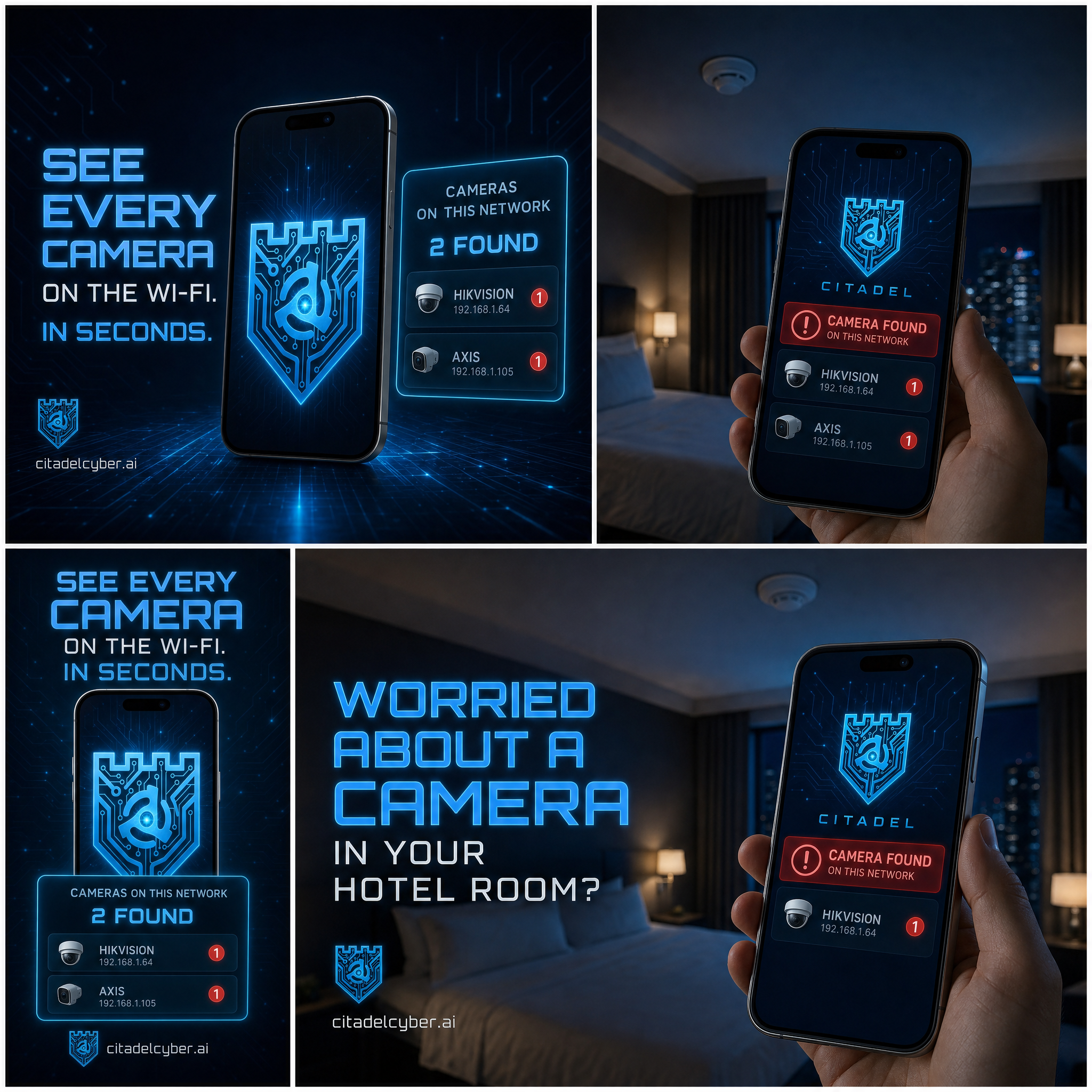
- Run a network scan. A tool like Citadel VPN & WiFi Security (free, iPhone and Android, built here in Orange County) scans every device on the network and flags the ones that are cameras — by manufacturer fingerprint (Hikvision, Dahua, Reolink, Wyze, and the rest) and by the streaming ports cameras use.
- Read the result. You get a list: this device is a camera, here’s its brand, here’s its address on the network. If something’s watching over that Wi-Fi, it’s on that list.
A few things to keep honest about what a scan does and doesn’t do:
- It finds cameras on the network — it does not point at a wall. The scan tells you a camera named “Hikvision” is on the Wi-Fi at a given address. It does not physically locate the device in the room. That’s still enormously useful: knowing a camera is present, and what it is, changes everything about how you treat the space.
- It won’t find a fully offline camera. Repeating this because it matters: no network tool can. If you have real reason to believe a space is compromised, a network scan plus a physical sweep plus, if warranted, a professional is the honest answer.
- It’s not just for cameras. The same scan shows you everything on the network — the laptop you don’t recognize, the smart device nobody added. For a business, that’s a monthly hygiene check worth doing on your own network, not just someone else’s.
What California law actually says
This is where Orange County business owners need to pay attention, because the law here is stricter than most people assume.
California is a two-party (all-party) consent state. Under Penal Code § 632, it’s illegal to record a confidential conversation without everyone’s consent. And Penal Code § 647(j) makes it a crime to secretly record someone in any place — including a business — where they have a reasonable expectation of privacy: restrooms, changing rooms, exam rooms, hotel rooms, and rentals. Civil Code § 1708.8 adds civil liability on top.
Translating that for a business:
- Short-term rental hosts: Cameras are allowed in some outdoor and common areas with clear disclosure, and are flatly illegal in bedrooms and bathrooms. Undisclosed indoor cameras can end your listing and land you in court. (Airbnb banned all indoor cameras outright in 2024.) If you host, know exactly what’s installed and disclose it — and if you’re a guest, you have every right to check.
- Employers: Cameras in workspaces are generally legal with notice; cameras in restrooms, locker rooms, or break areas cross the line fast. “We didn’t know it was there” is not a defense if it’s your property.
- Medical and professional offices: A camera in an exam room or a space where clients undress or discuss private matters isn’t just a privacy problem — depending on what it captures, it can become a HIPAA or licensing problem too.
The point: finding a camera isn’t the end of the story. Where it is, who put it there, and whether it was disclosed determines whether you’re looking at a quick fix or a legal exposure. When in doubt, document what you found and talk to counsel before you touch it.
Now secure the cameras you do own
If you run cameras on purpose — most OC businesses do — the same insecurity that makes hidden cameras dangerous applies to yours. Five things, today:
- Change every default password. “admin/admin” is not a password; it’s an invitation. This one step blocks the majority of camera takeovers.
- Put cameras on their own network. Segment them onto a separate VLAN or a guest network so that if a camera is compromised, the attacker can’t reach your POS, servers, or workstations.
- Turn off UPnP and close exposed ports. If you don’t need to view the feed from outside, don’t let the camera open a door to the internet. If you do, use a VPN into your network instead of exposing the camera directly.
- Patch the firmware. Cameras get security updates too. Unpatched recorders are among the most-exploited devices on the internet.
- Inventory them. Run a network scan and confirm every camera on your network is one you put there. Do it monthly. It takes fifteen seconds and it’s how you catch both the intruder’s device and your own forgotten one.
The bottom line for Orange County
A hidden camera’s greatest strength — it can be invisibly small and hidden anywhere — comes with a fixed weakness: to be worth anything to whoever placed it, it almost always has to be on the network. That’s the crack in the armor. You can check any Wi-Fi you’re on, for free, in the time it takes to read this paragraph.
For a rental, an office, or a retail floor, make it routine. And if a scan turns up something you didn’t expect — or you need a full physical and network security assessment done properly — that’s exactly what the vetted providers in our Orange County directory are for. Cut through the noise, name the real problem, and get the right people on it.
Fifteen seconds to know who’s watching. There’s no reason not to look.
GRYHAT Cybersecurity builds security tools and deploys compliance and detection technology for Orange County businesses and regulated contractors. This article is general information, not legal advice; consult qualified counsel about your specific situation.